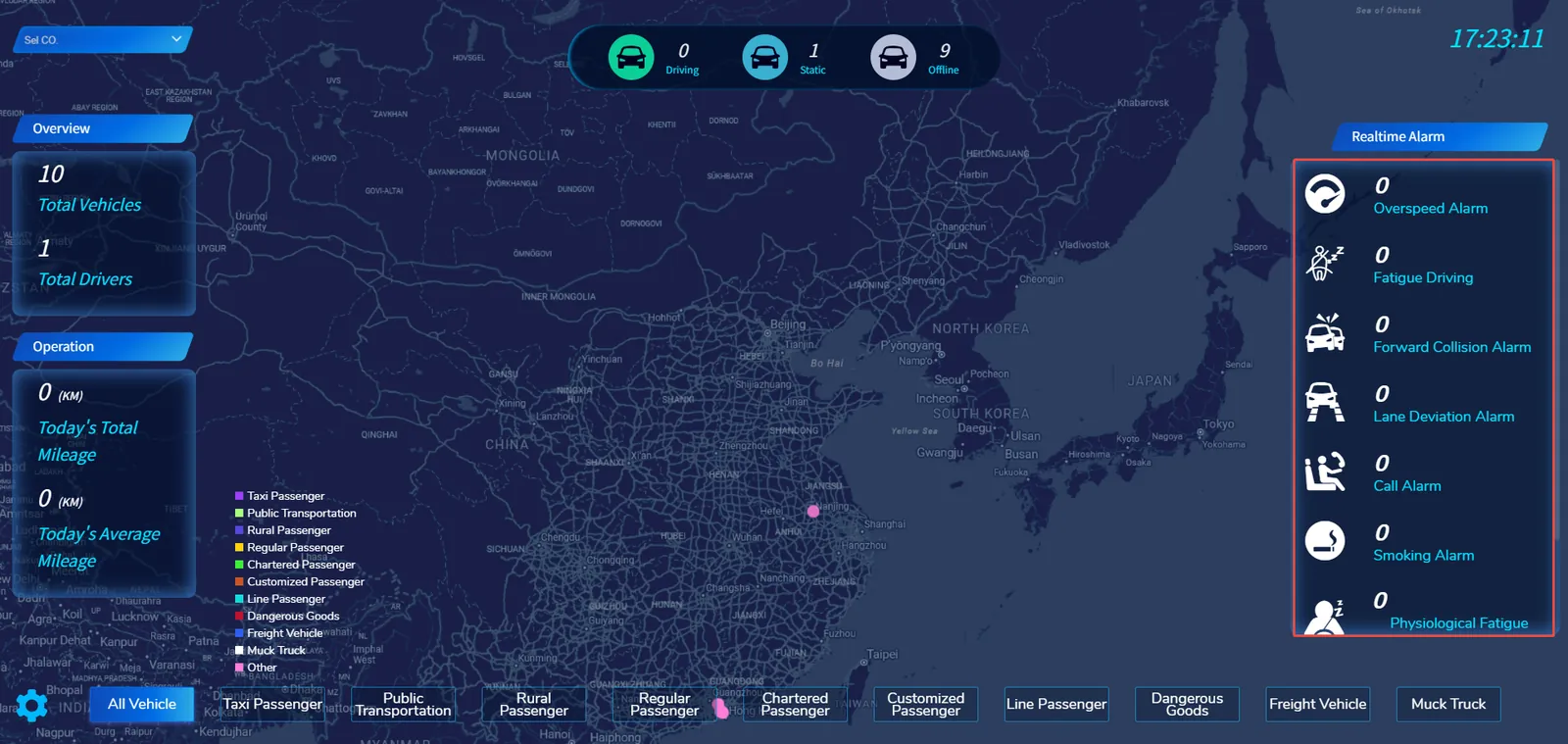
1. Function description
Make the smart cloud screen display only the custom alarm type
2 Preconditions
Smart cloud screen enabled in background
3. Operating Instructions
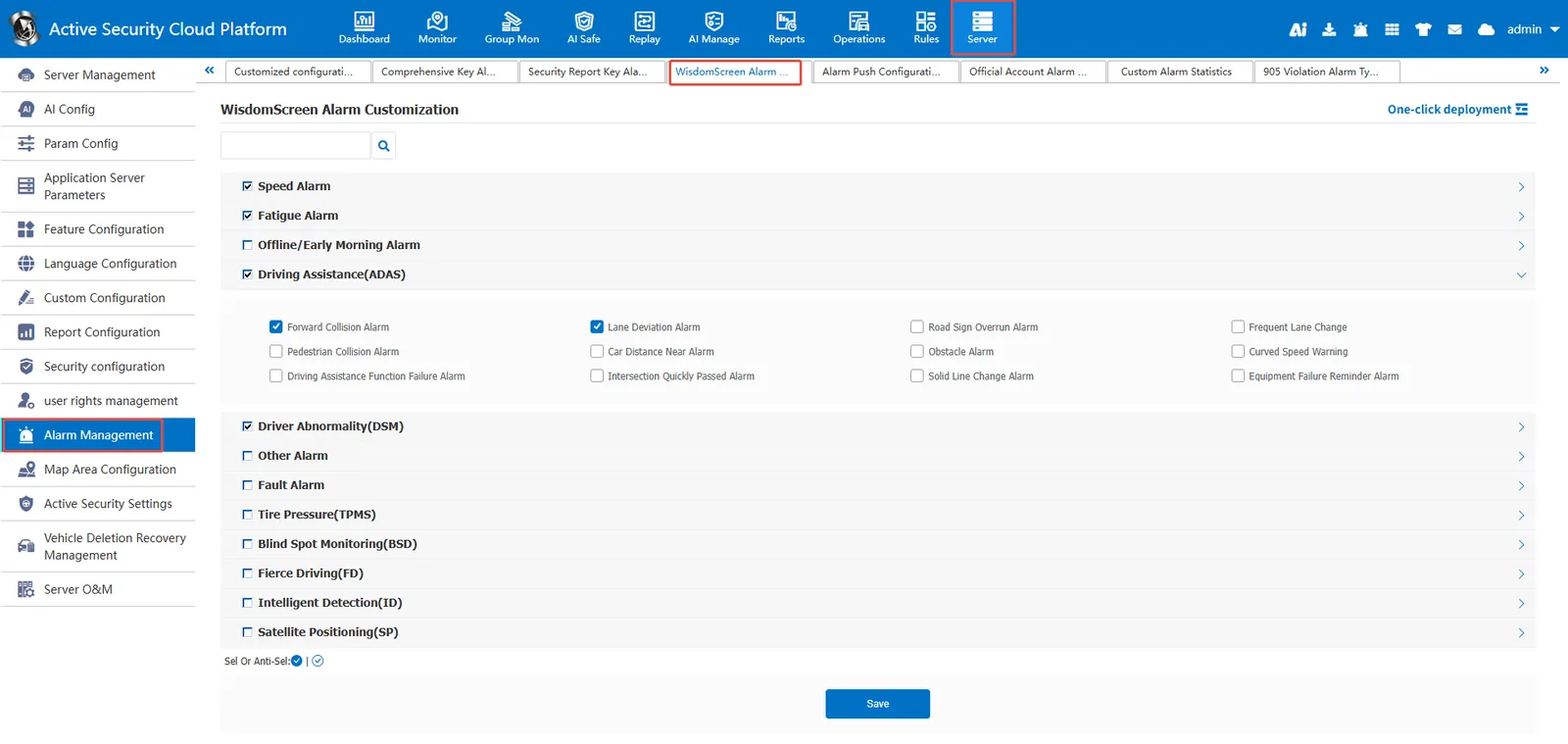
Go to [Server Management]> [Alarm Configuration]> [Smart Cloud Screen Alarm Customization], check the alarm type to be displayed, and then [Save]
Effect: